

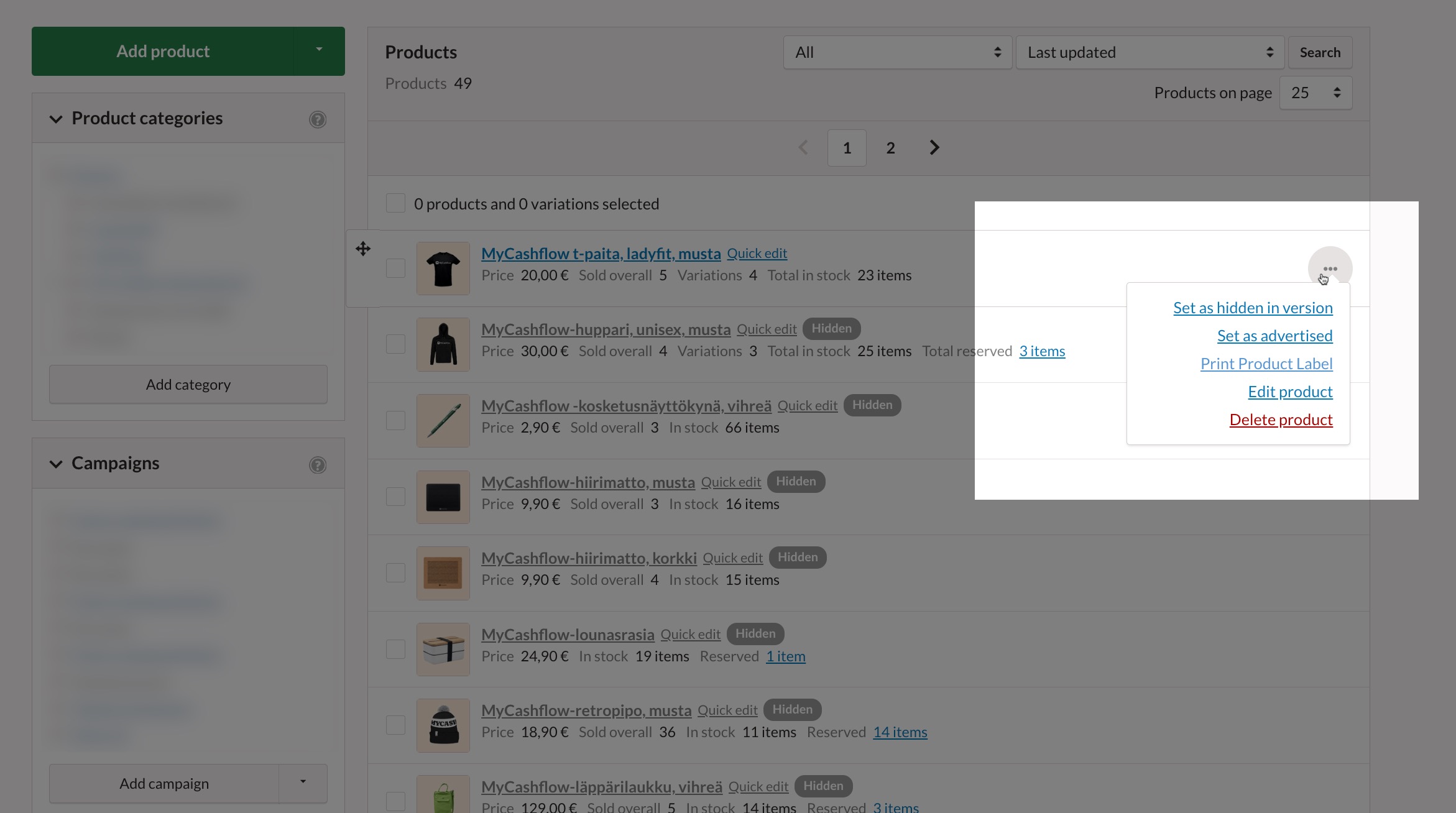
You can print shelf edge labels or price tags for your products in PDF format from the admin panel. This article discusses the use of product labels and the types of labels available.
The following types of product labels are readily available:
- product-barcode-sticker-40x39mm: scannable square-shaped shelf edge label.
- product-sheet-A4: product brochure, which includes, among other things, an image and product description
- storage-shelf-label-90x38mm: scannable horizontal product label, suitable for attaching to the edge of a storage shelf
- store-shelf-label-90x38mm: a scannable horizontal price tag suitable for attaching to the edge of a store shelf
By default, the barcode on product labels is EAN (GTIN-13). Using different types and lengths of barcodes requires editing the theme's templates.
By editing the theme's HTML files, it is also possible to create new types of product labels.
If you're not familiar with modifying themes, contact the designer of your store theme or the MyCashflow customer service.
Printing product labels
Editing product labels
The content, format, and appearance of product labels can be changed by editing the theme's HTML source code.
If you're not familiar with modifying your store theme's HTML/CSS/JavaScript files, contact the designer of your online store's theme or our customer service.
The product labels are located in the PDF theme's labels/products/ folder.
