

Your MyCashflow online store consists of two parts: 1) the online store's public area, where customers can browse products and place orders and 2) the online store's admin panel Flow, where the store's admin can manage the store's contents (e.g. products and content pages) and settings.
You can login to the MyCashflow admin panel in the following type of address (replace STORE-NAME with your own store's name):
https://STORE-NAME.mycashflow.fi/flow
There is no public-facing link to the admin panel in the online store, you should save the admin panel's URL as a bookmark in your browser.
If you have registered your own domain (e.g., examplestore.fi), you can use it as the address for the public side of the online store, but you must log in to the admin panel through an address in the format *.mycashflow.fi/flow.
The admin panel always uses SSL encryption, which enhances the security of maintenance.
Logging in to the admin panel
Log in to the admin panel with the email address associated with your MyCashflow account and the password you've chosen.
After logging into the online store's admin panel, you'll first see an overview with useful info about your store's sales and customers as well as the admin panel notifications.
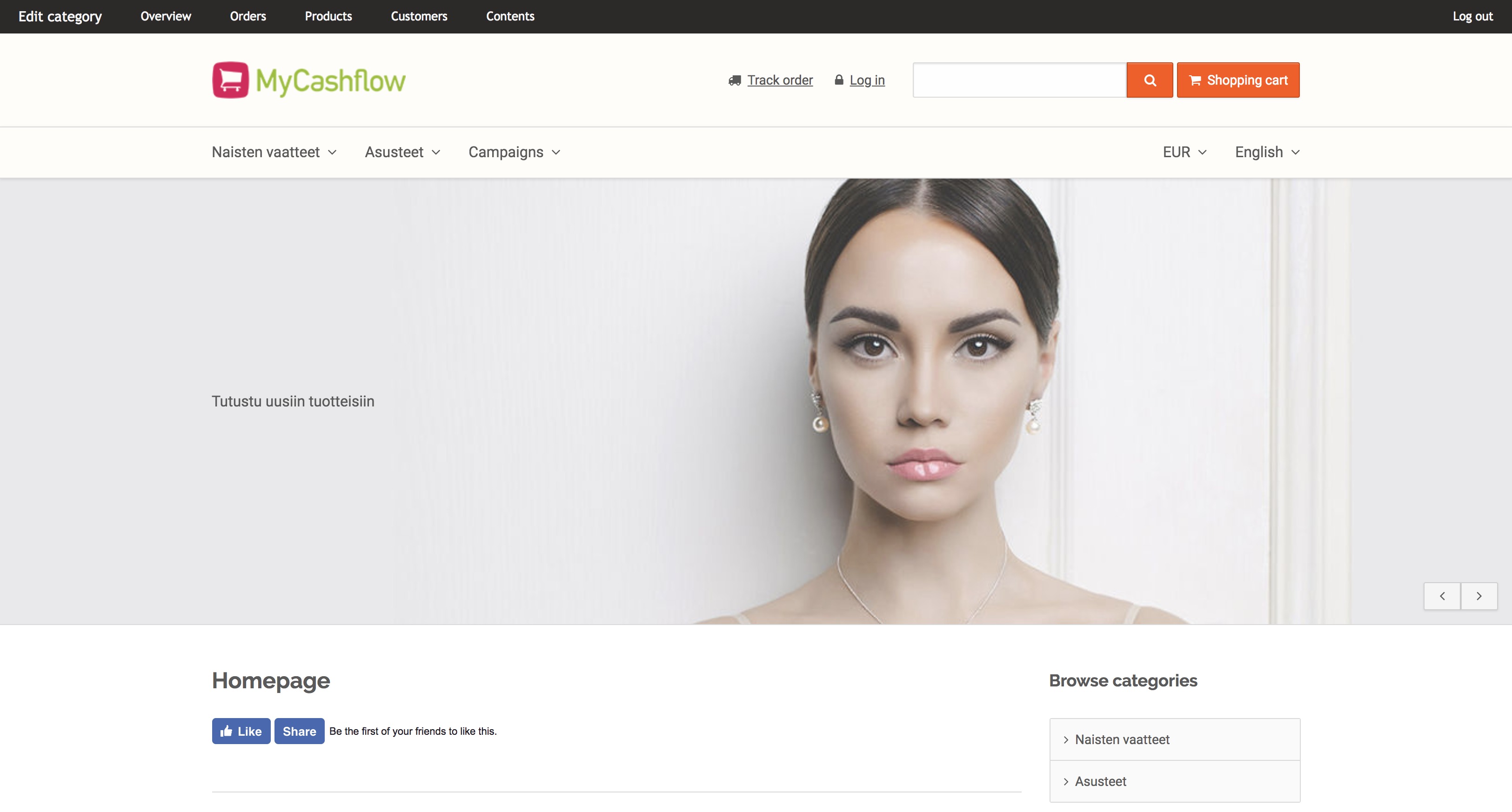
In the bar, the first link from the left changes dependent on the currently viewed contents. For instance, if you view a product category, you can press the link to edit the category's details.
Logging in to the store's hidden versions
Store versions (or the whole online store) can be hidden from visitors e.g. while performing major management tasks or working on the store theme.
You'll still be able to view the public area of a hidden store or store version if you log in to the admin panel.
If you've hidden multiple versions from visitors and the hidden versions use their own URL addresses, you should log in to the admin panel by using the versions' URL addresses. See the example below:
- If your store's public version uses the URL address https://www.potatoestore.net, log in to the version at the address https://www.potatoestore.net/flow.
- Accordingly, if you also have a separate store version for resellers at the address http://www.potatoewholesale.net, log in to that hidden version at the address https://www.potatoewholesale.net/flow to view its public area.
