

All MyCashflow online stores have built-in support for the Kustom Checkout solution, which, when in use, completely replaces MyCashflow's own checkouts.
Kustom is the former Klarna Checkout and has automatically replaced it in MyCashflow online stores on June 17, 2025. Klarna Payments, on the other hand, continues as a separate payment service, which is still available also through the Kustom checkout.
The Kustom checkout differs from other MyCashflow checkouts in that it is only used when the online store has the Kustom Checkout payment service installed.
How does Kustom Checkout work?
At Kustom Checkout, the customer first enters the delivery country, postal code, and email address. If the customer has previously made a purchase using Kustom Checkout and their information is saved, Kustom can automatically fill it in at checkout. The system also automatically fills in a logged-in customer's information at checkout.
After providing the address information, the customer can choose the payment and shipping method and proceed to pay for their order. In some cases, the system requests the customer's personal identification number to verify creditworthiness.
When the customer has confirmed the order, the Kustom thank you page opens.
At Kustom Checkout, you can use certain external and MyCashflow's internal payment services.
Enablement
The setup of Custom Checkout differs from the setup of other checkouts.
Kustom Checkout is enabled and its settings are configured on the admin panel's page.
Customizing the design of the checkout page
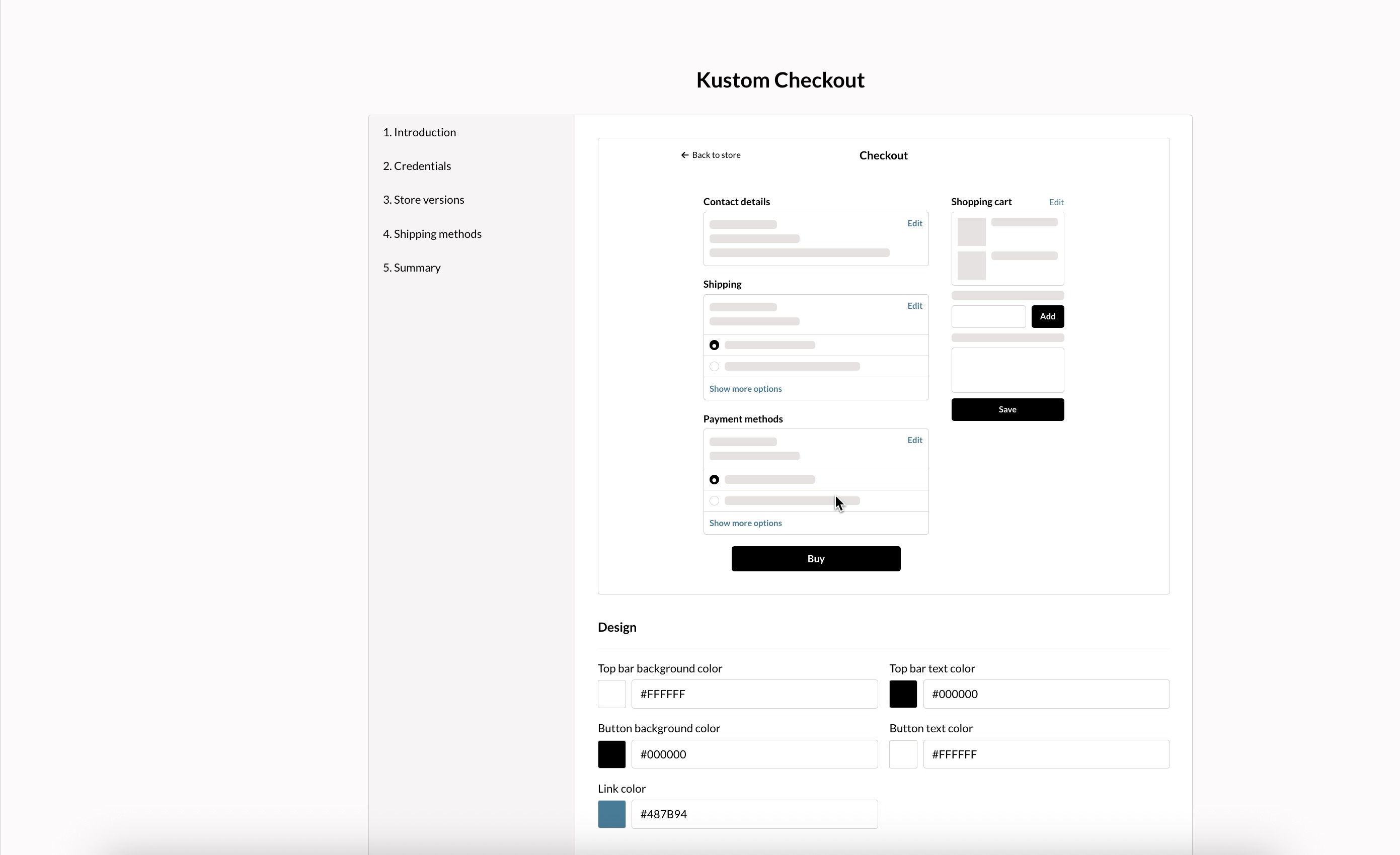
The Kustom Checkout page is internal to MyCashflow, so it cannot be customized in the theme. However, you can define the logo and the colors of the elements visible at the checkout.
Colors
You can specify the colors for the following elements:
- the top bar background
- the top bar text
- buttons' backgrounds
- buttons' texts
- links
You can define colors in the Checkout settings section on the page by using the Hex color model.
Logo
You can specify whether the store's or the store version's logo is visible in the checkout header.
You can enter the store's logo in the general settings, and the store version's logo in the version's additional settings.
Shipping methods at Kustom Checkout
In MyCashflow Kustom Checkout uses the Kustom Shipping Assistant, which presents shipping methods differently than the default MyCashflow checkout.

Here's an overview of how the checkout differs from the built-in MyCashflow checkout:
- The name of a shipping method does not appear in the shipping method menu, but rather the type of delivery service it uses (e.g., Posti Postal Parcel appears at checkout as Parcel locker).
- The shipping method displays the additional information and delivery time set for it, if these have been specified.
If your online store uses Pickup-type shipping methods, ensure that different pickup points are added to the settings of a single shipping method and not as separate shipping methods.
The Kustom Shipping Assistant is a paid service offered by Kustom, which in MyCashflow is included in the Kustom Checkout solution at no additional cost.
Selling using local currencies and payment methods
In the Checkout settings section, you can specify the countries to which you want to sell using local currency and payment methods.
- Switzerland
- Denmark
- United Kingdom
- Norway
- Sweden
- United States
Selling in local currencies requires that your Kustom account supports it.
If your Kustom ID does not support the currency you selected in the checkout page settings, the first attempt to use it at checkout will automatically disable the selection, after which the currency for payments will be euros.
If payment is not successful even in euros, ask the Kustom customer service to enable the Global setting for your account.
Selling in local currencies is only possible with Klarna Payments payment methods. MyCashflow's internal payment services and PayPal are available at checkout only when the currency is euro.
