

This page covers the general structure of MyCashflow themes and the various tools of the theme editor.
Theme editor
Modifying the theme's structure and appearance is done using a graphical theme editor.
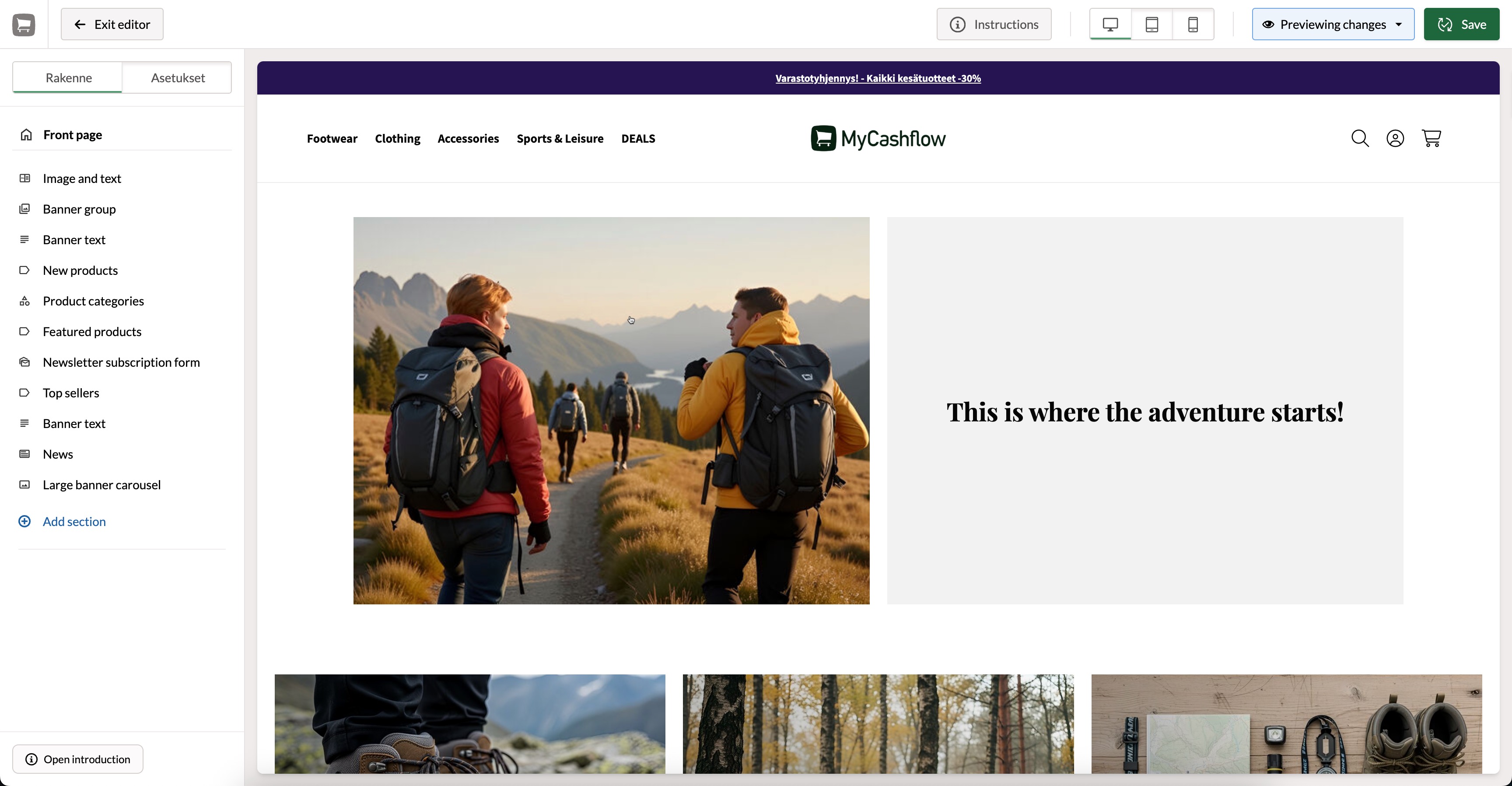
Using the theme editor for editing requires that support for the editor has been implemented in the theme. The default theme of MyCashflow includes built-in support.
In MyCashflow's default theme, you can currently edit the appearance of the site and the structure of the homepage using the editor (the homepage view type must be Homepage).
Navigation and preview
In the theme editor, you can navigate through different pages of the store and make changes to each view in real-time.
In the preview, the version selected from the version menu in the upper left corner of the admin panel is always available for browsing.
The sidebar shows all the editable content areas contained on the page (the Fluid 2.0 theme includes only one content area on the online store's homepage).
With the tools at the top, you can preview the page in different screen sizes (mobile, tablet, desktop).
Theme structure
A MyCashflow theme roughly consists of the following elements:
- Page templates: A page template is a model used to present different pages of an online store. For example, the product page template is used to present a product in the online store when a visitor arrives in the online store to view the product. It defines the basic structure of the page – for example, ensuring that menus, headings, and other common elements are in the same places from one page to another.
- Content areas: A content area is an internal "compartment" of the page template where you can add content. A single template can have one or more content areas (the default theme's homepage currently contains only one editable content area).
Content areas roughly define where on the page there can be content that can be edited using the editor.
- Sections: A section is an actual content block that you place in the content area. Sections can include, for example, product lists, banners, as well as text and image content.
Each section has its own settings. E.g. for product lists, you can define the products to be displayed, the length of the list, and the alignment; in a banner carousel, you can select the banners to be displayed, etc.
The sections are theme-specific, so changes made to one version do not affect others.
The page structure is controlled in the Structure column of the layout editor.
Theme settings
In the Settings column of the appearance editor, you can define the overall look of the entire site, including the navigation structure, colors, and fonts.
Some settings may also affect the layout, but most of the changes related to positioning are made in the Structure column.
The settings are theme-specific, so changes made to one version do not affect others.
Default Theme (Fluid 2.0)
All MyCashflow online stores have access to the default theme Fluid 2.0, which includes several ready-made styles suited to different purposes (for example, clothing stores, electronics stores, etc.). All ready-made styles can be customized using the theme editor, which allows for a quick start to appearance development,
