

You can print MyCashflow POS receipts using the payment terminal's own or a separate receipt printer, or send a PDF receipt to the customer via email.
Printing receipts
With the payment terminal's internal or an external receipt printer, you can print a receipt for the payment terminal sale only immediately after the payment is completed.
If you leave the POS page before printing the receipt, it will no longer be possible to print the payment terminal receipt. However, you can send the customer a PDF receipt via email.
Sending receipts by email
If the payment terminal sale is targeted to an online store customer account, you can send the receipt download link to the customer's email at any time after the sales transaction.
Immediately after making the payment, you can send an email receipt using the right-hand Send receipt function.
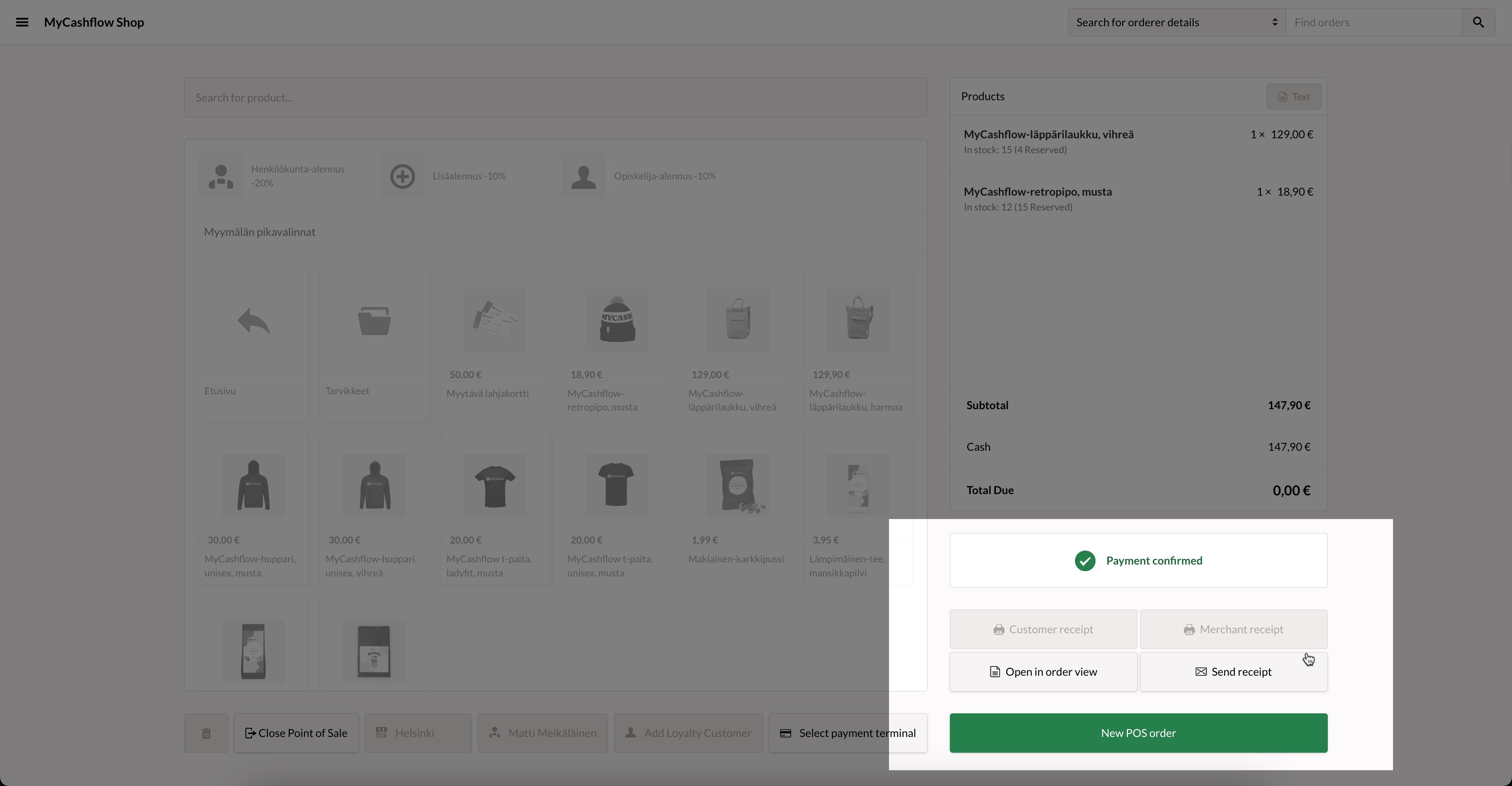
If you want to send a receipt for an old order, first open the order from the admin panel's page. Select Customer POS receipt from the Email notifications section on the order page, and press the Send button.
Adding custom text to payment terminal receipts
Add text to the receipt by pressing the Text button in the upper right corner of the POS page. This will display a form where you can enter text.
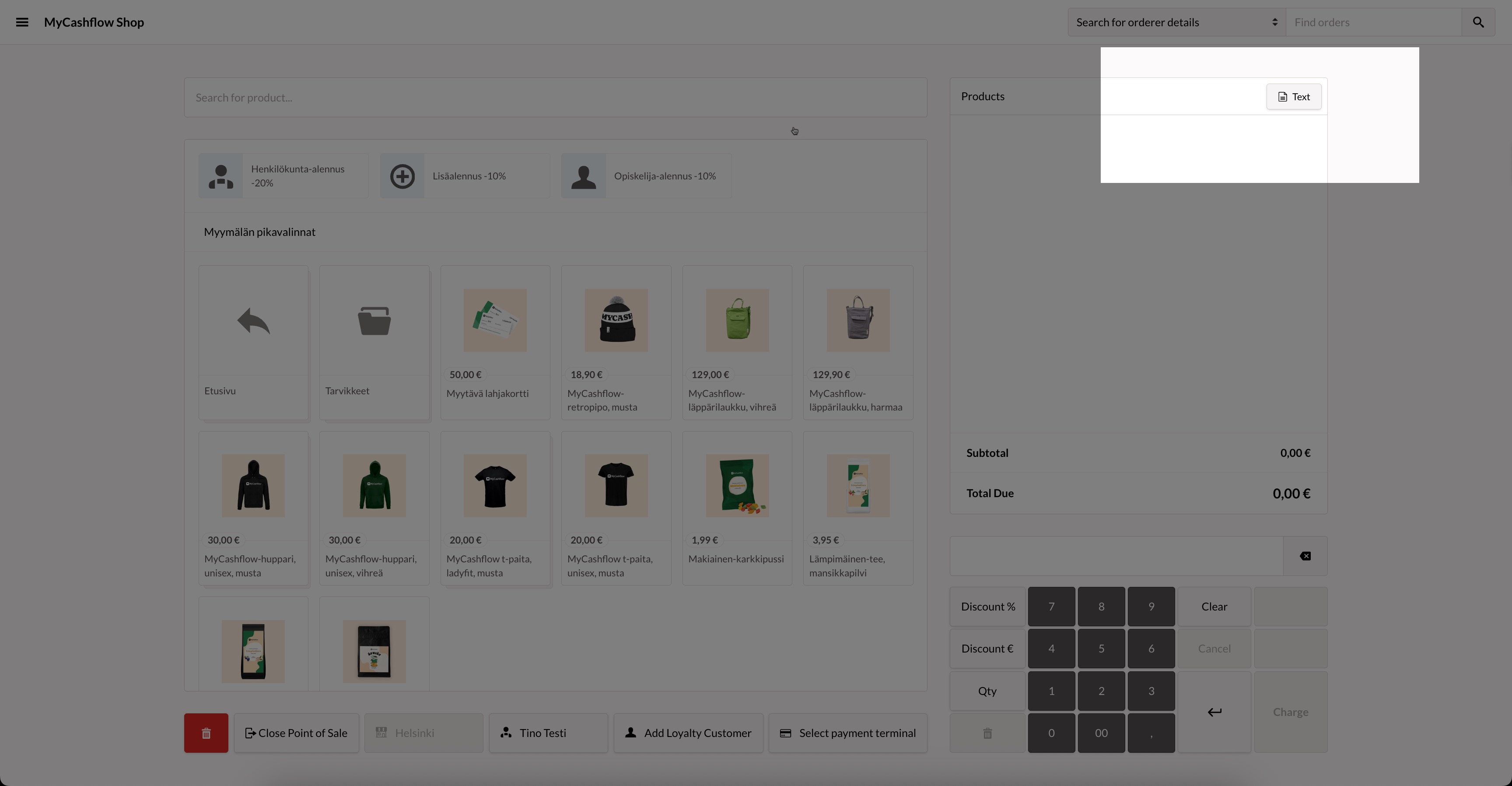
The text you add will appear on the following receipt and will also be saved in the order events in the admin panel.
Defining contact and additional information for a PDF receipt
The contact information for PDF email receipts of payment terminal sales primarily comes from the store version's contact information and secondarily from the general settings contact information of the store. If a detail is missing from both sources, it will not appear on the receipt at all. In the Internet field of the contact information, you can enter the network address you want to be shown on the receipt.
You can also add optional text to the payment terminal receipts (e.g. information on refund policies or the online address of the feedback form). The additional text can appear by default on all receipts, or it can be a receipt-specific supplement for an individual purchase.
In addition to the content, you can edit the appearance of the PDF payment terminal receipt.
This requires changes to the payment terminal receipt HTML template in the online store's theme. (If you're not familiar with modifying themes, contact the designer of your store theme or our customer service.)
Changes to the template do not affect the appearance of the payment terminal's paper receipts.
