

You can manually apply product-specific or order total discounts to payment terminal transactions when creating them, or use discount campaigns targeted at selected customer groups.
If the products added to the sales event are part of discount campaigns, their discounts will be applied automatically when the conditions are met.
Discount lines applied to the order subtotal
In payment terminal transactions, it is possible to use freely-defined percentage or euro-based discount lines that apply to the subtotal, meaning the total price of the products being sold.
You can add a discount line to the sales transaction at any time before charging the customer.
If you have already charged fees from the customer during the sales transaction, first create a new sale to use discount lines in it.
- Enter the discount amount in the text box above the right-hand numeric keypad.
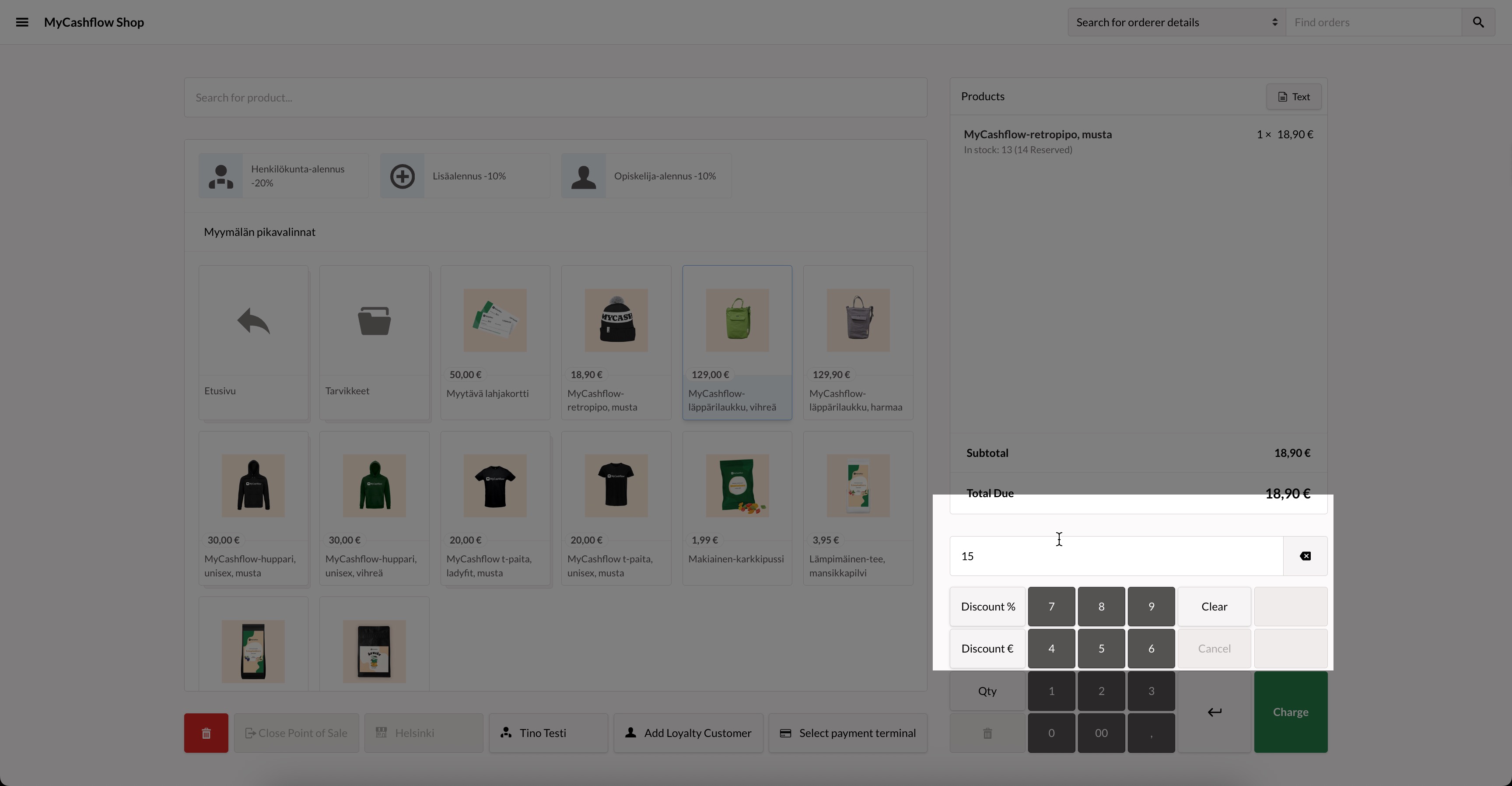
After completing the sales transaction, the discount information will appear on the receipt, the admin panel's order page, and in reports.
Product-specific discounts
In POS transactions, you can set percentage or euro-based discounts for products using the tools on the right side of the POS page. See below for an interactive guide and detailed instructions:
Once you have completed the sale, the discount you added will appear on receipts, the admin panel's order page and reports.
Customer-group-based product discounts
If there is a discount campaign valid for a specific customer group in your online store, you can also apply it to POS transactions by targeting the order to a customer account that belongs to the group.
After the customer account has been selected, the page is updated and the campaign discount is applied to the order. The campaign details are shown in the order's product table.
