

On the product card's Stock tab, you'll find a link to the stock history, which contains the following information about every change to the product's stock balance:
- Changed: the time the change was made (by default, the most recent change first)
- User: who made the change (the change may also have been made automatically by the MyCashflow system)
- Source: the source of the change (a specific order, product or variation form, CSV import, MyCashflow API, or a specific integration)
- Quantity: the increase or decrease to the balance and the resulting balance.
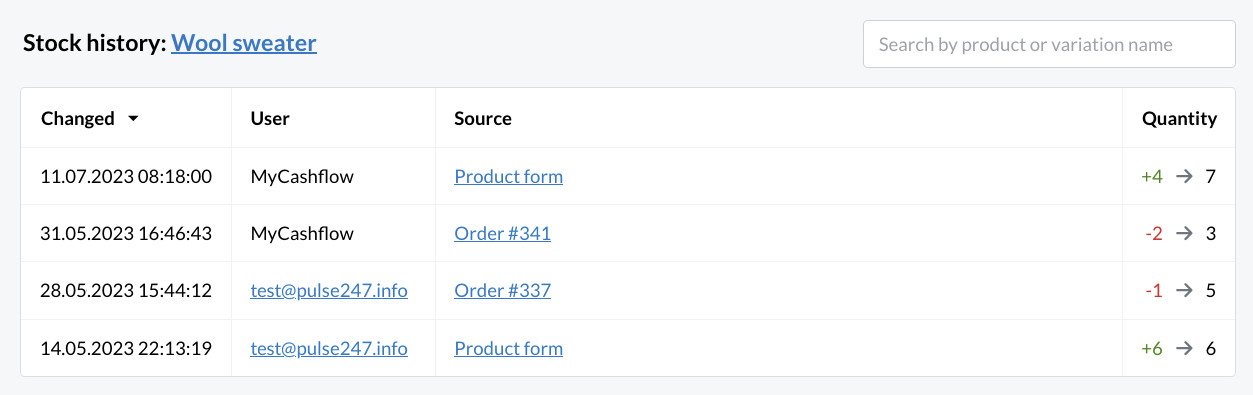
Using the stock history view's search field, you can directly view the stock history of other products or product variations as well.
